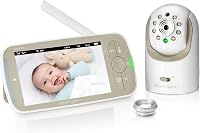
Can You Use a Wi-Fi Baby Monitor for Audio Only?
Yes, many Wi-Fi baby monitors can run for audio only by turning off or covering the screen, or by using an audio-only mode. You will get sound alerts and two-way talk in many cases, but you will lose the visual clues that video gives.
On this page (9 sections)
- What does audio-only mode actually do on a Wi-Fi monitor?
- How do you set up a Wi-Fi monitor for background listening?
- When is a dedicated audio monitor the better choice?
- Which VTech audio model suits long-range use around the house?
- Can a video monitor still work well as an audio-only backup?
- What are the limits of using video gear for sound only?
- How do you choose between Wi-Fi audio, DECT audio, and video?
- How do you get the most from audio-only listening at night?
- Which products help with wifi baby monitor audio only use?
Yes, you can often use a wifi baby monitor audio only by switching off the parent screen, using a voice-activated mode, or leaving the camera on with the display muted. That setup works best when you mainly need to hear crying or movement, and you do not need to see your baby.
The catch is simple. A Wi-Fi monitor is still a video system, so it may use more power, need an app, and depend on your home network.
A dedicated audio monitor may be easier to carry from room to room. We compared the main options below so you can pick the one that fits your home.
For a wider view of features and setup choices, see how to choose a baby monitor.
What does audio-only mode actually do on a Wi-Fi monitor?
Audio-only mode keeps the microphone and speaker on while the screen stays off or dim. Some monitors wake the screen at a set sound level, while others stay dark until you press a button.
That gives you background listening without a bright screen, so you can still hear a cry, a cough, or shifting in the crib. Two-way talk may also stay available, depending on the model.
You lose visual clues, though, such as whether your baby is awake but calm or stuck in a corner. You also cannot check room temperature or the nursery light from the screen.
Check the manual for screen-off mode, audio-only mode, voice activation, or VOX. Without those terms, you may need to keep the app open or the screen on to hear sound.
How do you set up a Wi-Fi monitor for background listening?
Place the camera where it can hear the crib clearly. Keep it close enough for soft sounds, but not so close that room noise triggers alerts all night.
Turn the parent screen down or off. Set volume so you can hear it from bed, and start sound sensitivity in the middle if that setting exists.
Pair the parent unit before bedtime and test it from the farthest room you will use. If the connection drops, move the camera or parent unit and check for walls, doors, or other wireless devices.
Keep the camera plugged in if the maker requires it, since many video cameras need constant power for sound only. If you want a phone-based setup instead, read non wifi baby monitor with phone app to see how some non-Wi-Fi systems handle app viewing.
When is a dedicated audio monitor the better choice?
A dedicated audio monitor is better when sound is all you need most nights. It is often smaller, lighter, and simpler to hand to a grandparent or pack for travel.
The VTech Audio Baby Monitor is a clear example. It uses DECT 6.0 with no Wi-Fi, no app, and no account.
The parent unit has an 8-hour battery, a belt clip, 1000 ft range, and a 5-level sound indicator.
You can mute the speaker and still watch the lights rise as the nursery gets louder. That helps if you want to check sound from across the bed without waking your partner.
VTech says the encrypted channel is shared only between the baby unit and parent unit, so no internet connection is needed for basic listening.
If you want more audio-only picks, see best audio only baby monitor.
Which VTech audio model suits long-range use around the house?
The VTech Communications DM221 Audio Baby Monitor also uses DECT 6.0 and up to 1,000 ft of range. It adds a vibrating sound alert, talk-back intercom, and a night light loop on the baby unit.
The night light is a practical plus. You can turn it on or off from the parent unit, so you can give the nursery a soft glow without walking in.
The 5-level sound indicator gives you a quick visual read.
You can also adjust microphone sensitivity, so the parent unit can stay quiet for small sounds or alert you when noise passes a level you set. VTech says the parent unit runs on a rechargeable battery or AC power, and advises using both at the same time for continuous monitoring, since battery alone gives only a short cordless run.
For other long-range picks, see best audio baby monitor long range.
Can a video monitor still work well as an audio-only backup?
Yes, and the HelloBaby No WiFi Baby Monitor Camera shows why. It is a video monitor, but it includes an audio-only saving power mode.
That mode can help when you want sound with less screen use.
The camera pans 355 degrees horizontally and 120 degrees vertically, with 2X zoom. The 5-inch screen, infrared night vision, and room temperature monitor give you video options when you want them.
For audio-only nights, the sound level LED indicator and two-way audio still help. HelloBaby says the system uses 2.4GHz FHSS and digital encryption with no Wi-Fi needed.
The stated battery life is 30 hours for the screen unit, while the camera needs to be plugged in.
What are the limits of using video gear for sound only?
Audio-only use on a video monitor has limits to know before you buy. Battery life, alert behavior, and app control can all change when the screen is off.
Video processing may still run in the background and drain power faster than a simple audio unit, even with a dark screen. Check battery life for audio-only mode, not just full video mode.
Alerts may not wake you the same way. Some monitors light the screen only when sound crosses a level, and others require the app to stay open.
Test the alert after setup, not after your baby is asleep.
You also lose context. Sound can tell you something happened, but not what happened, since a whimper, a dropped pacifier, or your baby sitting up can sound much the same.
How do you choose between Wi-Fi audio, DECT audio, and video?
Pick Wi-Fi audio if you already own a video monitor and want to turn the screen off at night. It costs nothing extra and keeps one system for both sound and video.
Pick DECT audio if you want simple, portable sound with long range and no app. It suits grandparents, a second bedroom, or a parent who wants to clip the unit to a belt and move around the house.
Pick a video monitor with an audio-only mode if you want both options in one box. You get pan and tilt, night vision, and a screen for nights when you want to look, plus a lower-power sound mode for other nights.
For VTech-specific options, see best vtech audio baby monitor.
Which choice is easiest for a grandparent or babysitter?
A DECT audio monitor is easiest. There is no app, no account, and no pairing screen to explain.
The VTech DM111 links in under 60 seconds, according to VTech, and uses one up and down button for volume.
Which choice is easiest for travel?
A small audio monitor with a rechargeable parent unit packs well. The DM111 includes AAA batteries as backup, which can help when you cannot charge right away.
Which choice is best if you already have a camera monitor?
Use the audio-only mode first. Only buy a second system if battery life, alerts, or range do not meet your needs.
How do you get the most from audio-only listening at night?
Set the system up before your baby goes to sleep. Run a short test with the nursery door closed and the parent unit in the room where you will sleep.
Keep the volume high enough to hear a soft cry, but low enough to avoid a startle. If your partner sleeps lightly, use a visual indicator or vibrating alert where available.
Place the baby unit away from a fan, humidifier, or music speaker if those sounds trigger false alerts. A steady hum can mask a quiet baby or set off the sound indicator all night.
Charge the parent unit during the day. If the maker advises AC power for continuous use, keep the cord reachable and out of the walkway.
For rechargeable-focused picks, see best audio baby monitor rechargeable.
What should you check before the first night?
Check sound sensitivity, volume, range, and battery level. Make sure the alert tone works and the out-of-range warning is clear.
Avoid placing the microphone too far from the crib, and do not rely on sound alone if you need to see your baby's position.
Which products help with wifi baby monitor audio only use?
For this question, simple DECT audio is often the cleanest answer, while a video monitor with an audio-only mode is the flexible option. The right pick depends on whether you want a dedicated parent unit or a screen you can switch off.
The VTech Audio Baby Monitor suits no-Wi-Fi listening with a belt clip and 8-hour battery. The VTech DM221 adds a night light and vibrating alerts for parents who sleep through sound.
The HelloBaby HB6550 suits homes that want video sometimes and audio-only mode on other nights. If you already own a Wi-Fi camera monitor, try its screen-off or audio-only mode first.
If you are buying new and sound is the main job, compare the dedicated audio options against how to choose a baby monitor. Read infant optics dxr 8 vs pro for a side-by-side look at video features, or read the infant optics dxr-8 pro review before you decide that video is worth the extra complexity.
Frequently asked questions
Can a Wi-Fi baby monitor work if the screen is off?
In many cases, yes. The camera can keep sending sound while the screen stays dark, but the exact behavior depends on the model.
Check the manual for an audio-only mode, voice-activated wake, or a screen-off setting before you rely on it at night.
Is audio-only use harder on battery?
It can be. A camera that is still recording video may use more power than a true audio-only unit, even with the screen off.
If you plan to carry the parent unit around the house, check the stated battery life for the mode you will use most.
Why choose a dedicated audio monitor instead?
A dedicated audio monitor is built for sound first. It often gives a longer range, simpler controls, and a visual sound indicator without a camera, app, or Wi-Fi setup.
That can suit grandparents, travel, or a second room where video is not needed.